Plugins for Photoshop, Elements, Lightroom, PSP & others
Plugins for Photoshop, Elements, Lightroom, PSP & others
|
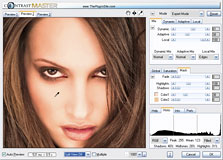
ContrastMaster lets you perform effective contrast enhancement, creating dramatic contrast looks, photorealistic paintings and HDR-like effects. It can turn low-contrast photos into vivid and detailed images and transform ordinary photos into interesting and dynamic shots. ContrastMaster is available as a Photoshop-compatible plugin for Windows and MacOS X as well as a standalone application and Lightroom external editor for Windows. The plugin works in dozens of graphics applications, including Photoshop, Photoshop Elements, Paint Shop Pro, Photo-Paint, PhotoImpact and IrfanView. All versions support batch processing and process RGB images with 8-bit and 16-bit/channel. The ContrastMaster standalone application supports JPEG, TIFF, PNG, PSD, Camera Raw and DNG image formats among others.
The four global methods (S/H-Contrast, Stretch, Equalize and Polarize) work on the tonal range of the image and help to improve the result even further. There is also an option for changing the brightness of the image. The masking options let you conveniently remove the ContrastMaster effect from an image area where you do not want to have it applied, e.g. skin areas, a blue sky or a wall. This can be done with the help of shadow/highlight and color masking options. Additionally, a saturation mask feature lets you improve saturation without oversaturating the image.
Each of the three methods lets you adjust the size of the image details that are affected, the effect intensity and the way the contrast is adjusted. Additionally, the Dynamic Contrast methods lets you avoid artifacts or noise without lowering the effect intensity, the Adaptive Contrast methods automatically adjusts image details of different size at the same time, and the Local Contrast methods lets you independently increase and decrease the contrast in image details as well as influence the brightness character of the effect. Each of the three methods also offers special shadow/highlight adjustment options as part of the algorithm.
For Beginners as well as Experts
Each of the seven tab sheets offers a button menu with various local presets for quickly applying useful settings. Furthermore, there is a global preset feature that allows you to save and reuse useful settings later. Several global presets are already delivered with ContrastMaster. There is a FX Values check box on the Prefs tab for using strong instead of medium effect intensities as the defaults. That way people who mainly want to produce special effects with ContrastMaster do not need to readjust sliders all of the time. ContrastMaster also lets you adjust up to three different effect settings at the same time and switch between them by using the Preview tab sheets, so you can experiment with different effect settings and conveniently compare them without leaving the ContrastMaster dialog.
You can also use ContrastMaster
to give a single photo the look of a HDR image while avoiding
the overhead of HDR photography. With its masking options you
often do not need to create selections or layer masks for selectively
applying the ContrastMaster effect, which saves you a lot of
time.
Standalone: If you are a registered user of the Windows plugin, you can buy the Standalone/Lightroom version for $19.95. Please contact us with your order details.
If you have any questions about ContrastMaster, please don't hesitate to contact us.
|