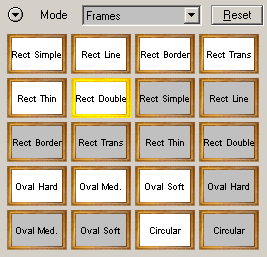
Frames
The Frames mode offers a
range of predefined frame effects. The frames are added inside the image, so
a part of the image is hidden by them.
Preset Icons
Clicking one of the preset icons will activate the appropriate effect by setting the sliders below to certain values. The same presets can also be found in Photography Mode, B/W Quick Mode and Expert Mode. For more information about the presets, please read the Local Presets page.
Hyper Links
The two hyper links at the bottom let you switch to Photograph Mode or to Expert Mode. Alternatively you can also use the Mode combo box at the top for doing that.